> ## Documentation Index
> Fetch the complete documentation index at: https://docs.glorycloud.com/llms.txt
> Use this file to discover all available pages before exploring further.

# Andorid

> Learn how to integrate GloryCloud's proxy on Android.

<Note>The process of setting up a proxy on Android may vary depending on the version of the Android operating system.</Note>

<Steps>
  <Step title="Open WLAN Settings">
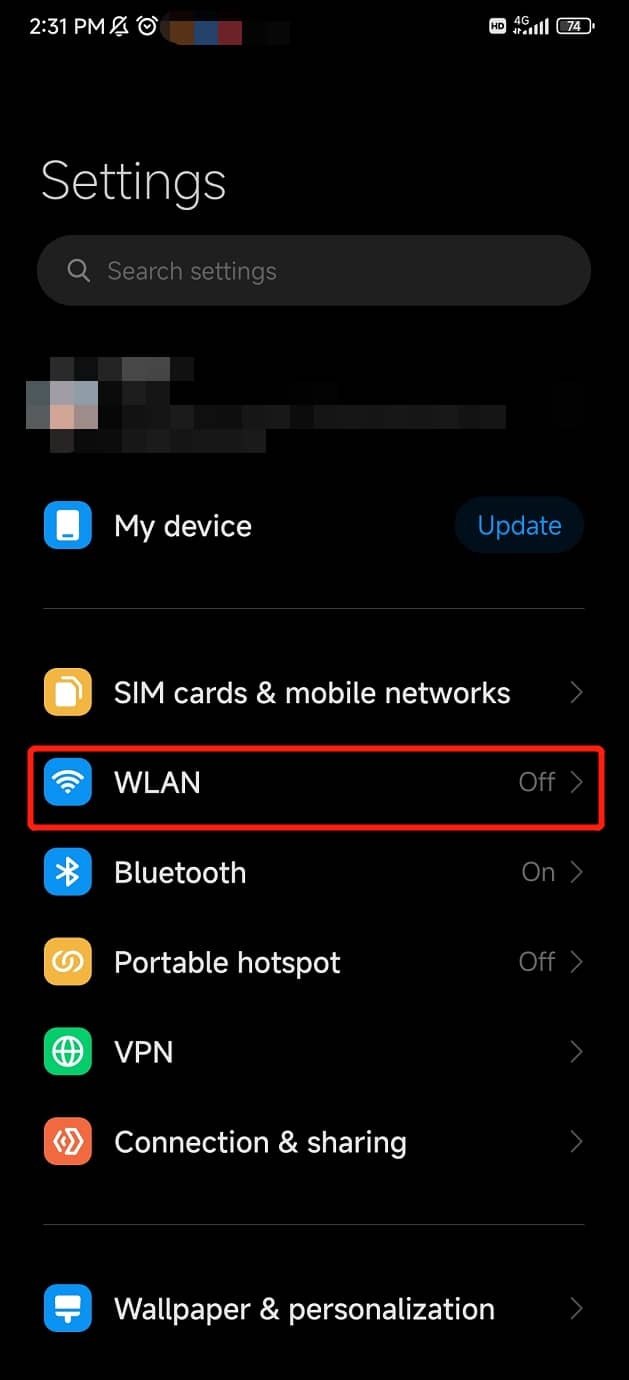
    Open your Android **Settings**, Click on **WLAN**.
    <Accordion title="Show Instructions">
      <Frame>
        <img src="https://mintcdn.com/goproxy/RfQd1x2WxHsStF8N/image/integrations/os/android/WLAN.png?fit=max&auto=format&n=RfQd1x2WxHsStF8N&q=85&s=a0710d41ae1cd8184440008b6e4188cf" width="350px" data-path="image/integrations/os/android/WLAN.png" />
      </Frame>
    </Accordion>
  </Step>

  <Step title="Find Proxy Settings">
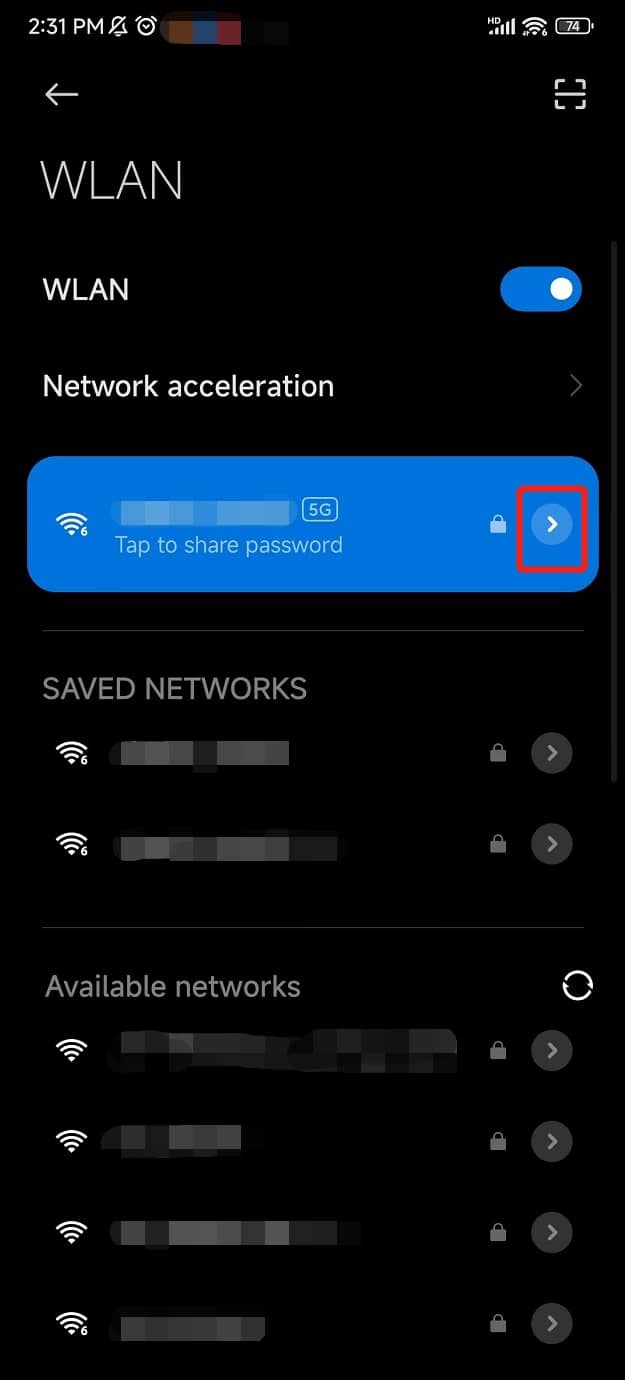
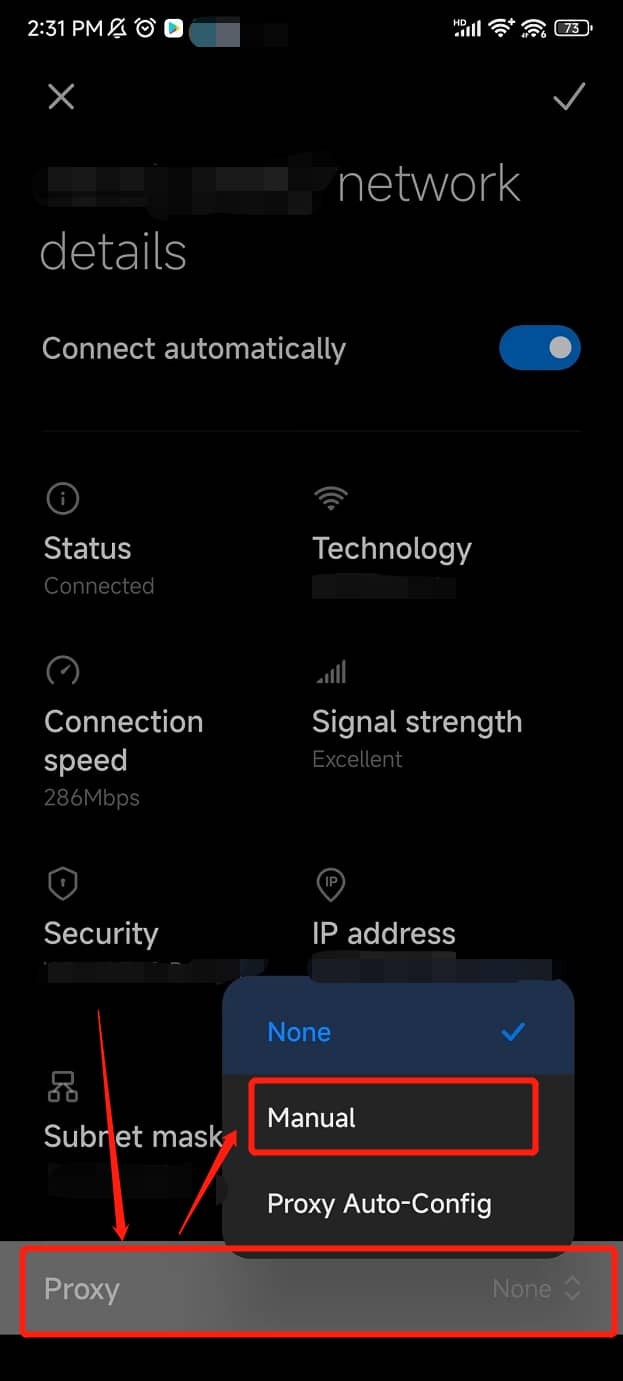
    Tap the arrow icon to view the details of the connected Wi-Fi. Then, scroll down to the **Proxy** section and switch the status to **Manual**.
    <Accordion title="Show Instructions">
      <Frame>
        <img src="https://mintcdn.com/goproxy/RfQd1x2WxHsStF8N/image/integrations/os/android/WLAN_2.png?fit=max&auto=format&n=RfQd1x2WxHsStF8N&q=85&s=5a7951dfa32ec677c5c851325058c442" width="350px" data-path="image/integrations/os/android/WLAN_2.png" />

        <img src="https://mintcdn.com/goproxy/RfQd1x2WxHsStF8N/image/integrations/os/android/proxy_settings.png?fit=max&auto=format&n=RfQd1x2WxHsStF8N&q=85&s=5478a4a7d5f0fd4b7c3ad7183a1815d5" width="350px" data-path="image/integrations/os/android/proxy_settings.png" />
      </Frame>
    </Accordion>
  </Step>

  <Step title="Configure Proxy Settings">
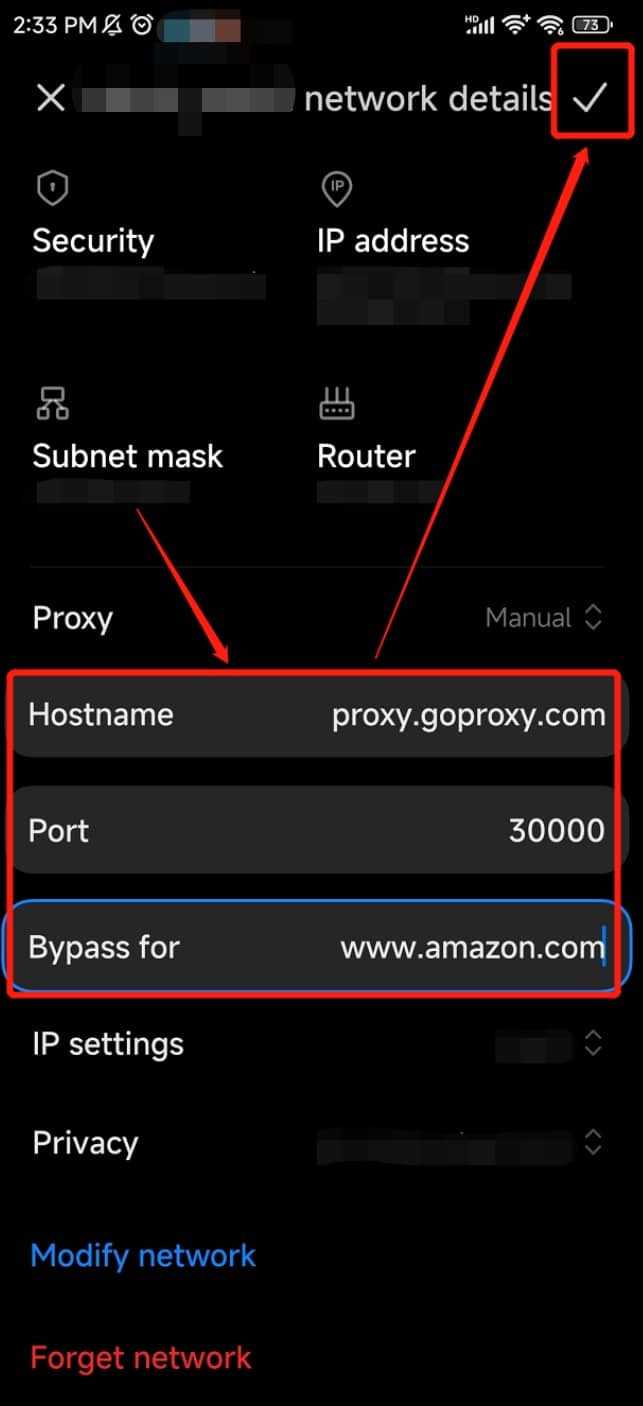
    Fill in the fields for **Hostname** and **Port**. Tap the **Check Icon**<Icon icon="check" /> to complete the configuration.

    <Accordion title="Show Instructions">
      <Frame>
        <img src="https://mintcdn.com/goproxy/RfQd1x2WxHsStF8N/image/integrations/os/android/configure_proxy.png?fit=max&auto=format&n=RfQd1x2WxHsStF8N&q=85&s=1cbe2f87693a5c7be4f26b0bf657ece3" width="350px" data-path="image/integrations/os/android/configure_proxy.png" />
      </Frame>
    </Accordion>
  </Step>

  <Step title="Work With Proxy" />
</Steps>